SharePoint List form show hide fields based on conditional formula
In this blog post I am going to show you that to show or hide fields on a list form based on the valued from other columns using…


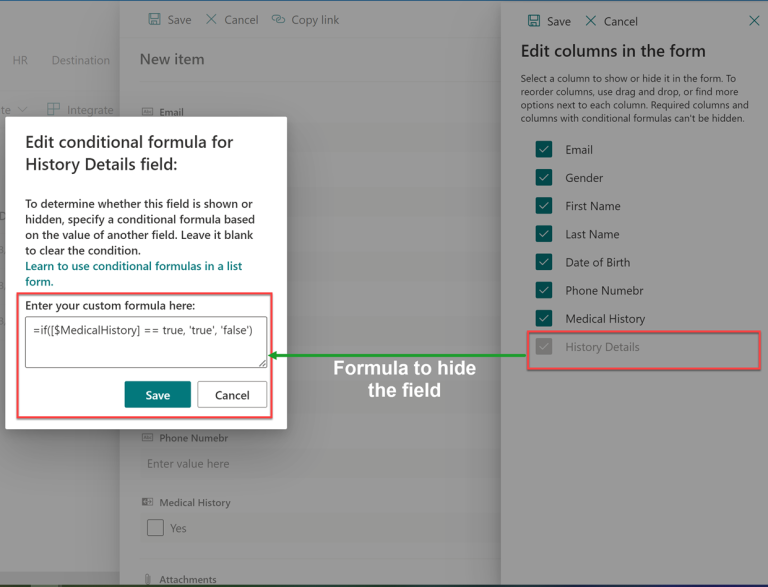
In this blog post I am going to show you that to show or hide fields on a list form based on the valued from other columns using…
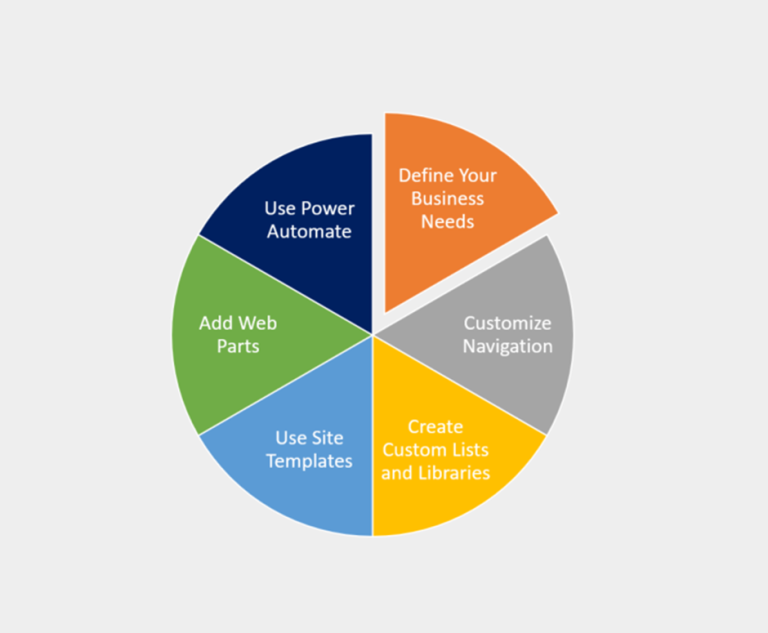
SharePoint Online is one of the most flexible platforms available for modern workplaces. Many organizations start with the default setup, but over time they realize they need something…

In Modern SharePoint Lists and Libraries, we can change the layout of the default list form using JSON or by modifying the list forms in Power Apps. JSON…
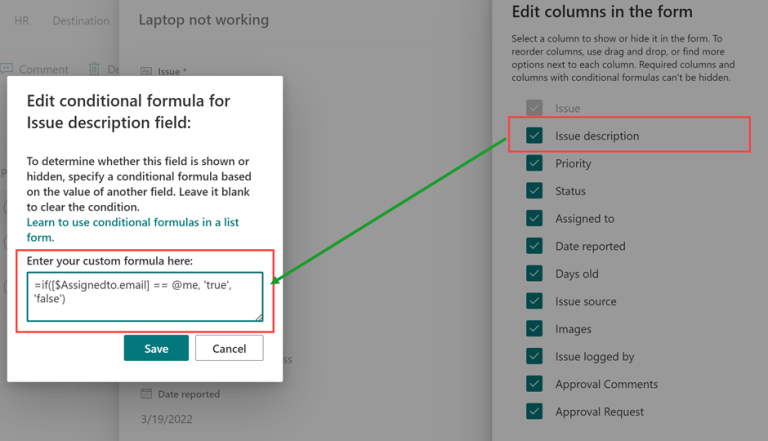
There are requirements to show hide fields or enable/ disable fields based on business requirements for selected values. Today I am going to share how can we can…

Developing custom components require technical skills but to make it reusable, one need to add configurations to it and this might require a few lines of extra code…

SharePoint modern lists are one of the most powerful tools that allow you to create, manage, and share information with your team in a highly customizable manner. With…
SharePoint is a powerful platform for building custom solutions that meet the unique needs of your business. One way to extend SharePoint’s functionality is by creating custom web…

If you are working on a custom solution based on SPFX and fetching data from a SharePoint list, this could get bit challenging to fetch the names of…

I have created a React based SPFX project and will show you how to bind a dropdown control to code, in this scenario I am filling the data…
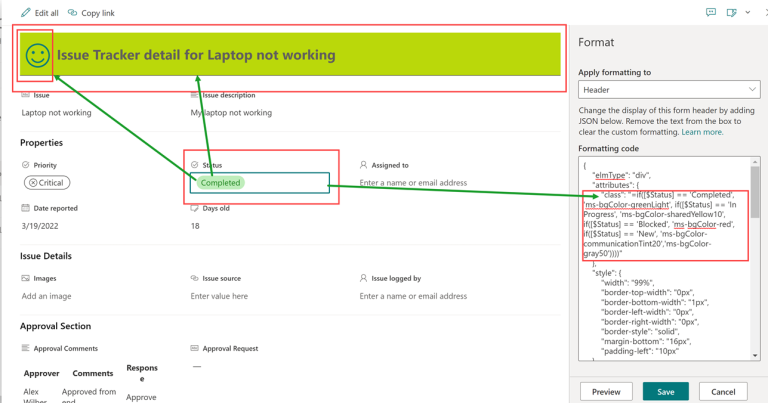
SharePoint modern list are not just user friendly but also provide a easy wasy for customizations on list views and list forms where you can define descriptive customizations…
One short email a week with the new Microsoft 365 guides and PowerShell scripts. Unsubscribe any time.




© 2007–2026 MSTechTalk by Adnan Amin, Microsoft MVP. Free PowerShell scripts on GitHub.