


Microsoft 365 is more than Word, Excel, Outlook, and Teams. Many useful tools are already included in the apps people use every day, but they are easy to miss. Here are 10 hidden Microsoft 365 features worth trying if you want to work faster, stay organized, and clean up your daily workflow.
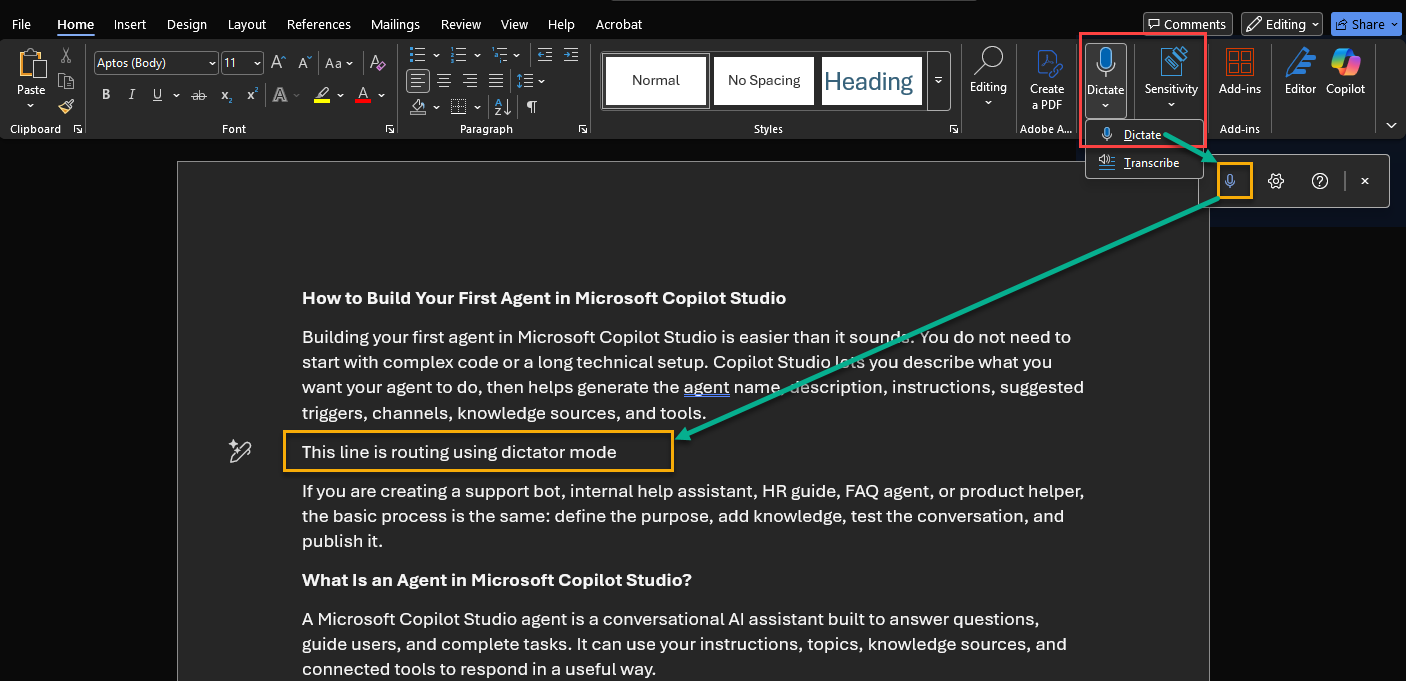
1. Dictate in Word
If typing slows you down, use Dictate in Word to turn speech into text. Microsoft says Word supports speech-to-text and audio transcription through Dictate, which is useful for notes, drafts, meeting thoughts, and long-form writing.
2. Immersive Reader
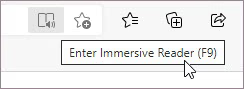
Immersive Reader can make long documents and webpages easier to read by reducing distractions, adjusting text preferences, using line focus, and reading content aloud. It is especially helpful when you are reviewing dense reports or need a break from staring at crowded text.
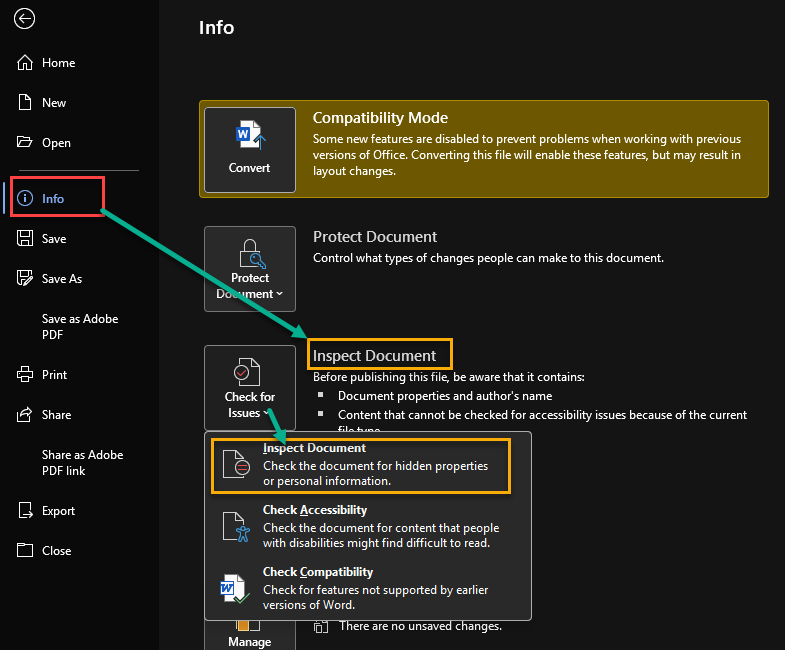
3. Document Inspector
Before sharing a Word, Excel, or PowerPoint file, run Document Inspector. Microsoft says it can help find and remove hidden data and personal information, such as document properties, comments, hidden text, and other metadata.
4. Selection Pane in PowerPoint and Word
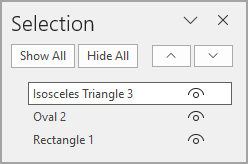
The Selection Pane helps you manage objects on a page or slide, especially when items overlap. Microsoft notes that you can use it to hide, unhide, and manage objects in documents, which makes editing complex slides much easier.
5. Clipchamp for Quick Videos
Many users do not realize Microsoft 365 includes Clipchamp. Microsoft describes Clipchamp as a tool for creating, editing, and sharing videos, with features such as trimming, cropping, speed control, autocaptions, transcripts, and OneDrive saving.

6. Captions and Transcripts for Videos
Clipchamp can also generate transcripts and closed captions for videos stored in SharePoint, Teams, or OneDrive. Microsoft says users can add chapters, comments, thumbnails, titles, and descriptions to improve the video experience.
7. Microsoft Loop Workspaces
Microsoft Loop is useful for projects where notes, tasks, decisions, and updates keep changing. Microsoft describes Loop as a workspace tool that brings the parts of a project together so teams can co-create in one place.
8. Accessibility Checker
The Accessibility Checker helps you make files easier for everyone to read and use. Microsoft says Word includes an Accessibility Checker that offers recommendations for format, color contrast, and word choice.

9. PowerPoint File Embeds
PowerPoint can do more than show slides. Microsoft notes that you can embed files such as Excel spreadsheets into slides, which helps you show supporting data without switching between apps during a presentation.
10. Copilot Actions in Edge PDF Reader
If your organization uses Microsoft 365 Copilot, Edge can help summarize or explain PDFs. Microsoft’s Copilot release notes say Edge PDF Reader includes actions such as Summarize and Explain to help users understand long or complex PDF content faster.
Microsoft 365 has many small features that can make a big difference. Start with the ones that remove daily friction: Dictate for writing, Document Inspector before sharing files, Selection Pane for messy slides, and Immersive Reader for long content. Once these become habits, Microsoft 365 feels less like a set of apps and more like a productivity system.

Adnan, a distinguished professional, boasts an impressive track record as a Microsoft MVP, having achieved this prestigious recognition for the eighth consecutive year since 2015. With an extensive career spanning over 18 years, Adnan has honed his expertise in various domains, notably excelling in SharePoint, Microsoft 365, Microsoft Teams, the .Net Platform, and Microsoft BI. Presently, he holds the esteemed position of Senior Microsoft Consultant at Olive + Goose.Notably, Adnan served as the MCT Regional Lead for the Pakistan Chapter from 2012 to 2017, showcasing his leadership and commitment to fostering growth within the tech community. His journey in the realm of SharePoint spans 14 years, during which he has undertaken diverse projects involving both intranet and internet solutions for both private and government sectors. His impact has transcended geographical boundaries, leaving a mark on projects in the United States and the Gulf region, often collaborating with Fortune 500 companies.Beyond his roles, Adnan is a dedicated educator, sharing his insights and knowledge as a trainer. He also passionately advocates for technology, frequently engaging with the community through speaking engagements in various forums. His multifaceted contributions exemplify his dedication to the tech field and his role in driving its evolution.






No Comments