SharePoint Online: Enable / Disable Sync for all Sites
Sync options enables a site content to be available offline, users can sync documents using from a SharePoint Document Library using OneDrive sync client on their local drives…


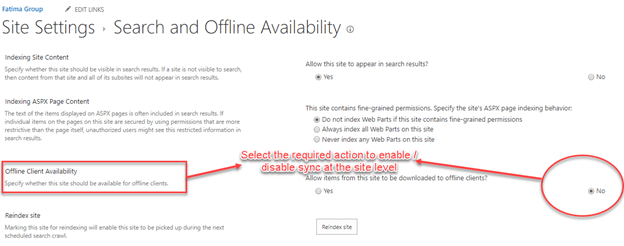
Sync options enables a site content to be available offline, users can sync documents using from a SharePoint Document Library using OneDrive sync client on their local drives…
You can see the Sync option on SharePoint document libraries by default, there are requirements to enable or disable sync option on a document library. There are multiple…
Usually the best way to download all documents from a SharePoint Document library or any specific folder from document library is to sync the folder using OneDrive client.…
OneDrive is already configured for employees in an organization with office 365 tenant. But here if you are new to office 365 and want to configure OneDrive sync…
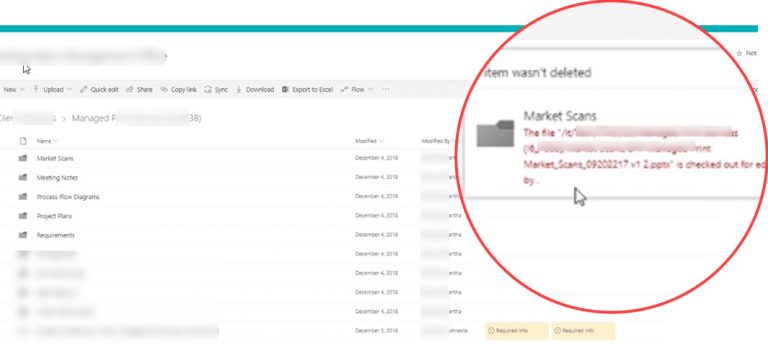
Recently I have seen an issue where user was unable to delete a folder in a SharePoint online document library because a file was checked out for editing…
Document library in SharePoint shows count of the documents only, but there are many minor and major versions for a document. In this blog post I am going…
SharePoint storage gives us a very useful report to understand the size of a site, sub site, list and library. To view the Storage Metrics report you have…
I worked on older versions of SharePoint where we can upload different file types which were not supported in SharePoint online. Normally user face this issue during migrations…
SharePoint lists and libraries are visible to all users and there are various ways to hide them. Admin can break inheritance for the list/libraries and set permissions for…
Versioning is very important for documents, it provides a way to keep track of the changes and who made to those changes. Each time you save the document,…
© 2007–2026 MSTechTalk by Adnan Amin, Microsoft MVP. Free PowerShell scripts on GitHub.