

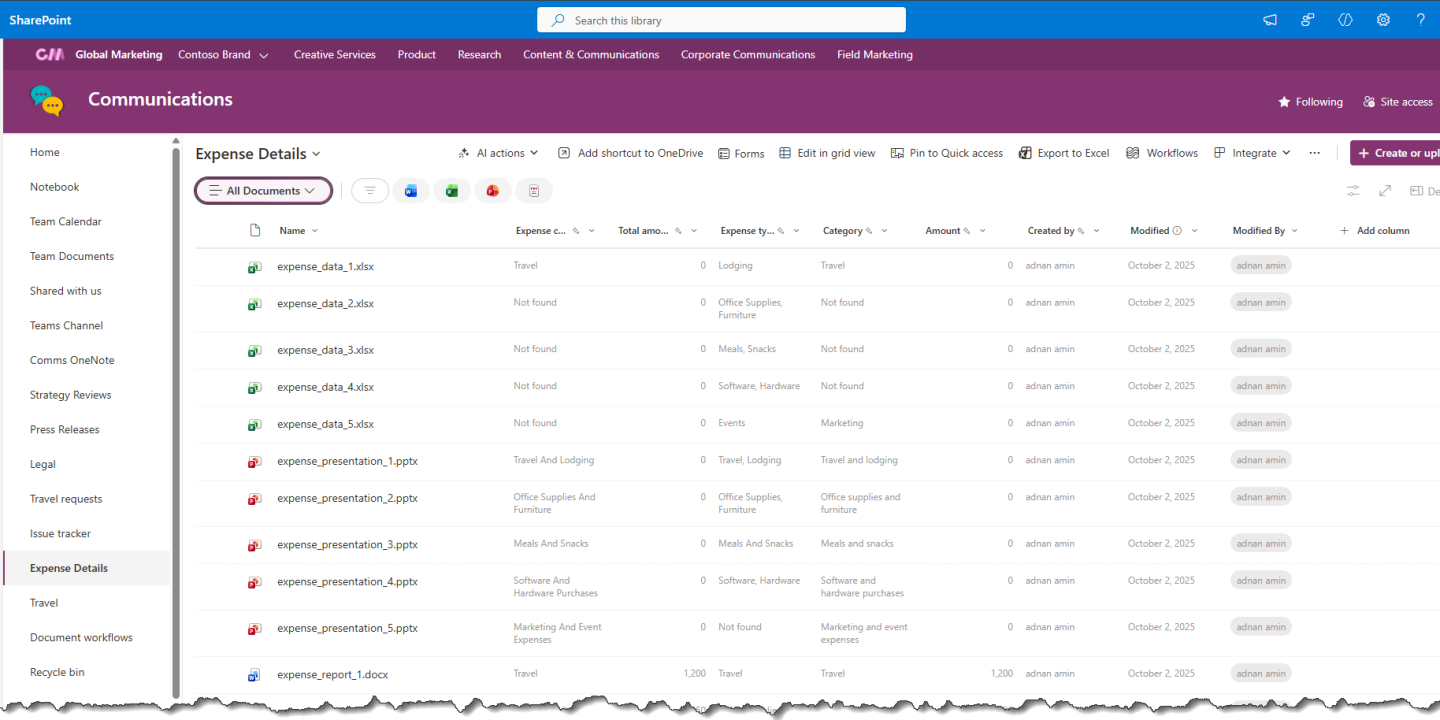
SharePoint can be a powerful document management platform, but only when it is set up with clear structure, permissions, and governance. Without a plan, document libraries quickly become cluttered, files are hard to find, and teams waste time searching for the latest version.
Below are practical SharePoint document management best practices that help teams keep files organized, secure, and easy to manage.
Use Document Libraries with a Clear Purpose
A common mistake is storing every file in one large library. Instead, create document libraries based on business purpose, such as HR policies, client contracts, project documents, finance reports, or marketing assets.
Microsoft recommends planning document libraries around how content is created, shared, reviewed, and retained. A clear library structure helps users know where documents belong and reduces duplicate files.
Use Metadata Instead of Too Many Folders
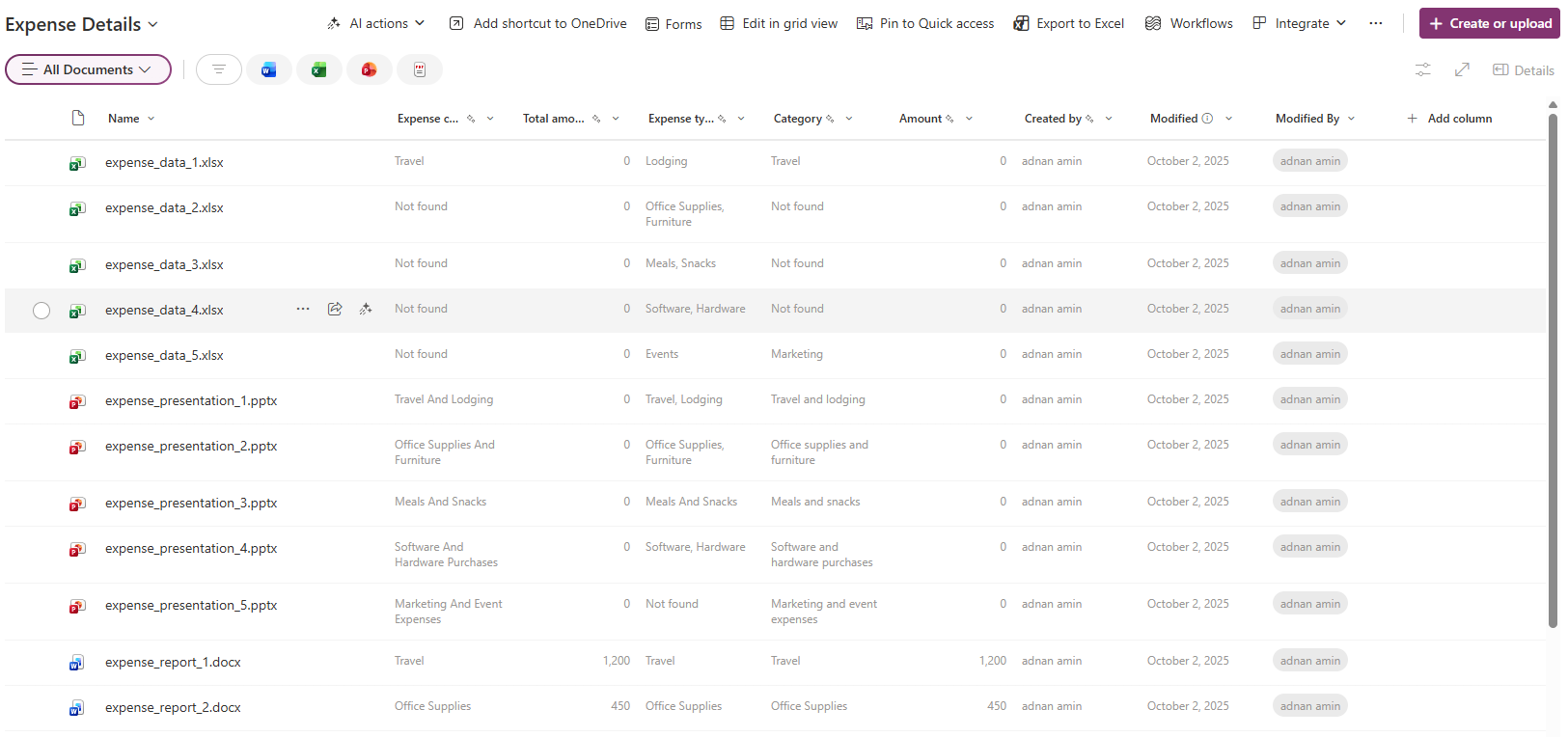
Folders are familiar, but too many nested folders make documents harder to find. Metadata gives users a better way to sort, filter, and search files.
For example, instead of creating folders for every department, year, and document type, use columns like:
- Department
- Document Type
- Client Name
- Status
- Review Date
- Owner
Microsoft’s retention label guidance also shows how metadata such as document type and status can help classify documents and apply policies more effectively.
Turn On Version Control
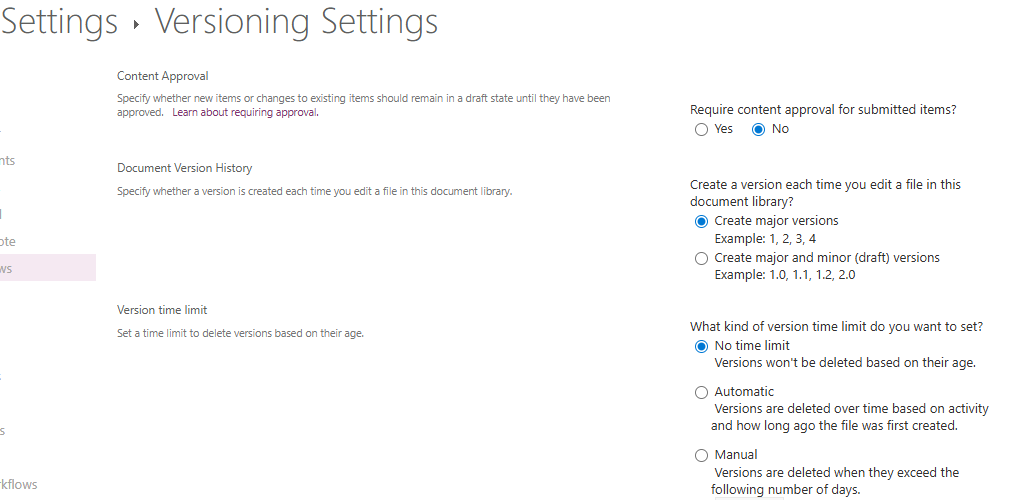
Version control is one of SharePoint’s most useful document management features. It lets users track changes, view older versions, and restore a previous version if needed.
Microsoft explains that versioning stores a history of changes and shows who made each update. This is especially useful for policies, contracts, proposals, and documents that go through multiple rounds of review.
Set the Right Permissions
Good document management also means controlling who can view, edit, approve, or delete files. Use SharePoint groups instead of assigning access to individual users whenever possible.
Avoid giving everyone full control. Most users only need read or edit access. Sensitive libraries, such as legal, finance, or HR documents, should have stricter permissions and regular access reviews.
Create Useful Views
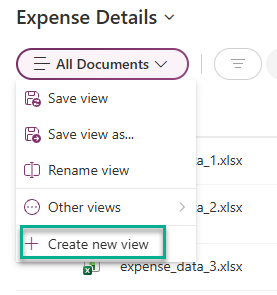
Views help users find the right documents without scrolling through long lists. Create filtered views such as:
- My documents
- Recently modified
- Pending approval
- Final documents
- Contracts expiring soon
- Documents by department
For larger libraries, filtered views are especially important because SharePoint performance depends on how content is displayed and queried.
Use Retention Labels for Compliance
Not every document should be kept forever. Retention labels help manage how long documents are stored, when they are reviewed, and when they can be deleted.
Microsoft notes that retention labels can be applied to SharePoint files and can also be set as a default label for a document library. This is useful for contracts, employee records, financial documents, and regulated content.
Use Approval Workflows for Important Documents
For documents that need review before publishing, use approval workflows. This helps prevent draft content from being treated as final.
Approval workflows are useful for company policies, standard operating procedures, sales proposals, and external-facing documents. They create a more reliable process and reduce confusion about which version is approved.
Keep Naming Conventions Simple
A good naming convention makes documents easier to search and understand. Keep names clear, consistent, and readable.
Example:
ClientName_ProjectName_DocumentType_Date
Avoid names like:
Final_v2_latest_NEW_revised.docx
Simple naming rules reduce confusion and make SharePoint search more effective.
Review and Clean Up Regularly
Even a well-designed SharePoint environment needs maintenance. Schedule regular reviews to archive old files, remove duplicates, update permissions, and check whether libraries are still useful.
A quarterly review is often enough for most teams. High-volume departments such as legal, finance, or operations may need monthly reviews.
The best SharePoint document management setup is not the most complex one. It is the one your team can actually use every day.
Start with clear document libraries, use metadata, enable version control, manage permissions carefully, and apply retention policies where needed. These SharePoint document management best practices will help your organization improve collaboration, reduce clutter, and keep important files easier to find.

Adnan, a distinguished professional, boasts an impressive track record as a Microsoft MVP, having achieved this prestigious recognition for the eighth consecutive year since 2015. With an extensive career spanning over 18 years, Adnan has honed his expertise in various domains, notably excelling in SharePoint, Microsoft 365, Microsoft Teams, the .Net Platform, and Microsoft BI. Presently, he holds the esteemed position of Senior Microsoft Consultant at Olive + Goose.Notably, Adnan served as the MCT Regional Lead for the Pakistan Chapter from 2012 to 2017, showcasing his leadership and commitment to fostering growth within the tech community. His journey in the realm of SharePoint spans 14 years, during which he has undertaken diverse projects involving both intranet and internet solutions for both private and government sectors. His impact has transcended geographical boundaries, leaving a mark on projects in the United States and the Gulf region, often collaborating with Fortune 500 companies.Beyond his roles, Adnan is a dedicated educator, sharing his insights and knowledge as a trainer. He also passionately advocates for technology, frequently engaging with the community through speaking engagements in various forums. His multifaceted contributions exemplify his dedication to the tech field and his role in driving its evolution.





No Comments