

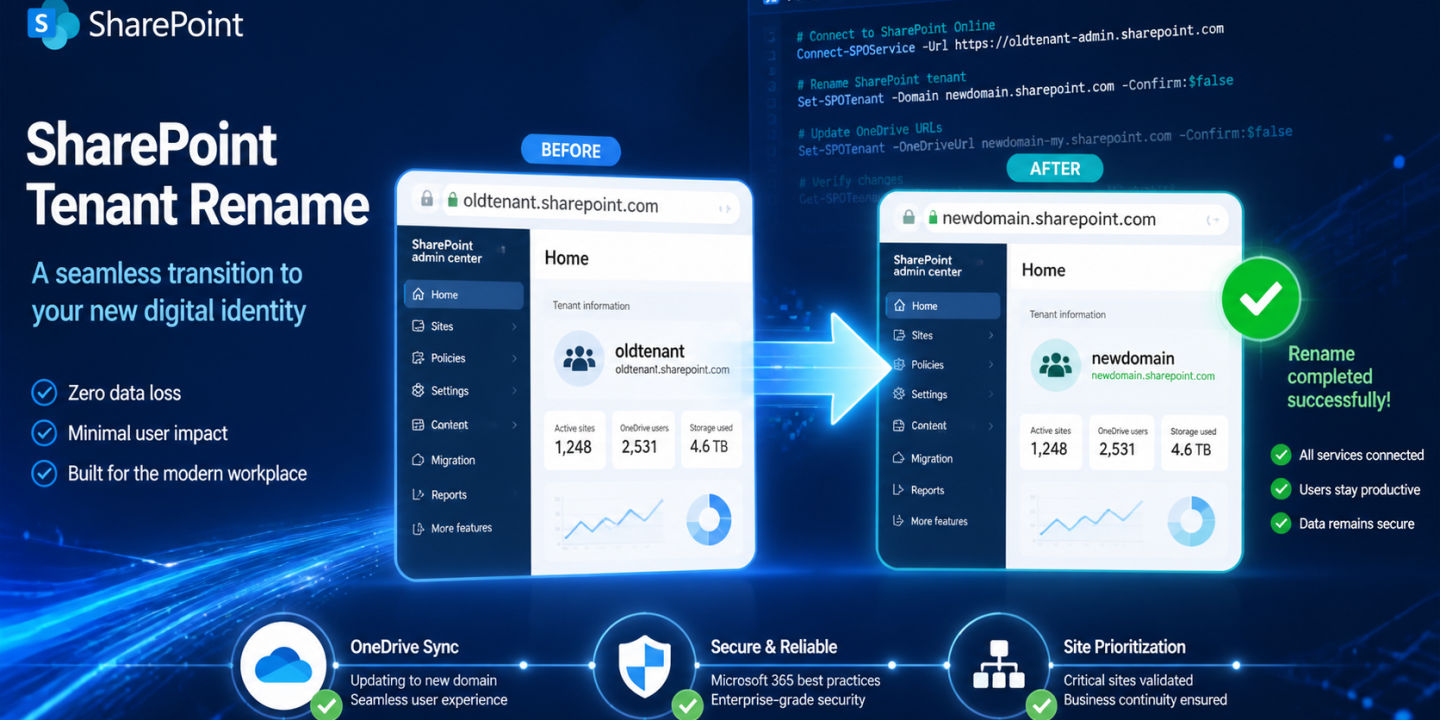
Tired of that outdated tenant name haunting your branding? In 2026, with mergers, rebrands, and domain shifts more common than ever, renaming your SharePoint Online tenant is a game-changer. But botch the execution, and you’ll face sync errors, broken flows, and a flood of support tickets. Fear not—this technical playbook gives you the step-by-step workflow to nail it, from prep to post-rename fixes. Let’s dive in and make your rename a success story.
Your strategy is locked in, the new domain is validated, and stakeholders are on board. Now comes the heavy lifting: executing without turning your inbox into a war zone.
Your strategy is locked in, the new domain is validated, and stakeholders are on board. Now comes the heavy lifting: executing without turning your inbox into a war zone.
1. Pre-Execution Cleanup: Make Your Environment Healthy
Jumping straight to the rename command is a recipe for failure. Start by scrubbing your setup.
- Clear the PowerShell Shell: Outdated modules are a common killer. Run
Get-Module -ListAvailable Microsoft.Online.SharePoint.PowerShell. If multiple versions show up, uninstall them all and grab the latest from the PowerShell Gallery. - Check for Multi-Geo: Enabled? Halt everything. Tenant renames aren’t supported here yet.
- Ditch Legacy Public Sites: Those old SharePoint Public Websites must go—delete them first, or the rename won’t fire.
Nail these, and you’re set for a smooth run.
2. The Command Sequence: Two Steps to Domain Glory
Fire up the SharePoint Online Management Shell. It’s a straightforward two-parter.
Step A: Schedule the Rename
powershellStart-SPOTenantRename -DomainName "newdomain" -ScheduledDateTime "2023-12-01T10:00:00"The date must be at least 24 hours out. See a GUID like 00000000-0000-0000-0000-000000000000? Your PowerShell module is outdated—update it.
Step B: Prioritize Sites (Advanced Users Only)
Got a SharePoint Advanced Management (SAM) license? Lock in your priority sites, like the home intranet:
powershellSet-SPOTenantRenameSitePrioritization -SiteUrl "https://contoso.sharepoint.com/sites/IntranetHome"This ensures critical sites flip first.
3. Post-Rename Fixes: Tackle the Monday Morning Mayhem
Redirects help, but breaks happen. Here’s your triage list for top issues.
- OneDrive Sync Errors (The #1 Culprit): Clients get URL-confused. Fix: Instruct users to unlink the PC in OneDrive settings, then sign back in. Files stay local; it just re-maps.
- Power BI & Power Automate: Absolute URLs linger. Manually edit flows and reports using SharePoint as a data source—update the site address.
- OneNote Notebooks: URLs stick like glue. Users: Close in the desktop app, then reopen from the new SharePoint site via browser.
- Third-Party Backups (e.g., Veeam, AvePoint): Tools lose site tracking. Re-discover sites and kick off fresh full backups.
Pro tip: Prep a user comms template now to cut ticket volume.
4. Monitoring Progress: Stay in the Loop
No blind waiting. Track it live:
powershellGet-SPOTenantRenameStatusGet clear “Success,” “In Progress,” or “Failed” readouts per site and overall. Share these with your team for transparent updates.

Adnan, a distinguished professional, boasts an impressive track record as a Microsoft MVP, having achieved this prestigious recognition for the eighth consecutive year since 2015. With an extensive career spanning over 18 years, Adnan has honed his expertise in various domains, notably excelling in SharePoint, Microsoft 365, Microsoft Teams, the .Net Platform, and Microsoft BI. Presently, he holds the esteemed position of Senior Microsoft Consultant at Olive + Goose.Notably, Adnan served as the MCT Regional Lead for the Pakistan Chapter from 2012 to 2017, showcasing his leadership and commitment to fostering growth within the tech community. His journey in the realm of SharePoint spans 14 years, during which he has undertaken diverse projects involving both intranet and internet solutions for both private and government sectors. His impact has transcended geographical boundaries, leaving a mark on projects in the United States and the Gulf region, often collaborating with Fortune 500 companies.Beyond his roles, Adnan is a dedicated educator, sharing his insights and knowledge as a trainer. He also passionately advocates for technology, frequently engaging with the community through speaking engagements in various forums. His multifaceted contributions exemplify his dedication to the tech field and his role in driving its evolution.








No Comments