

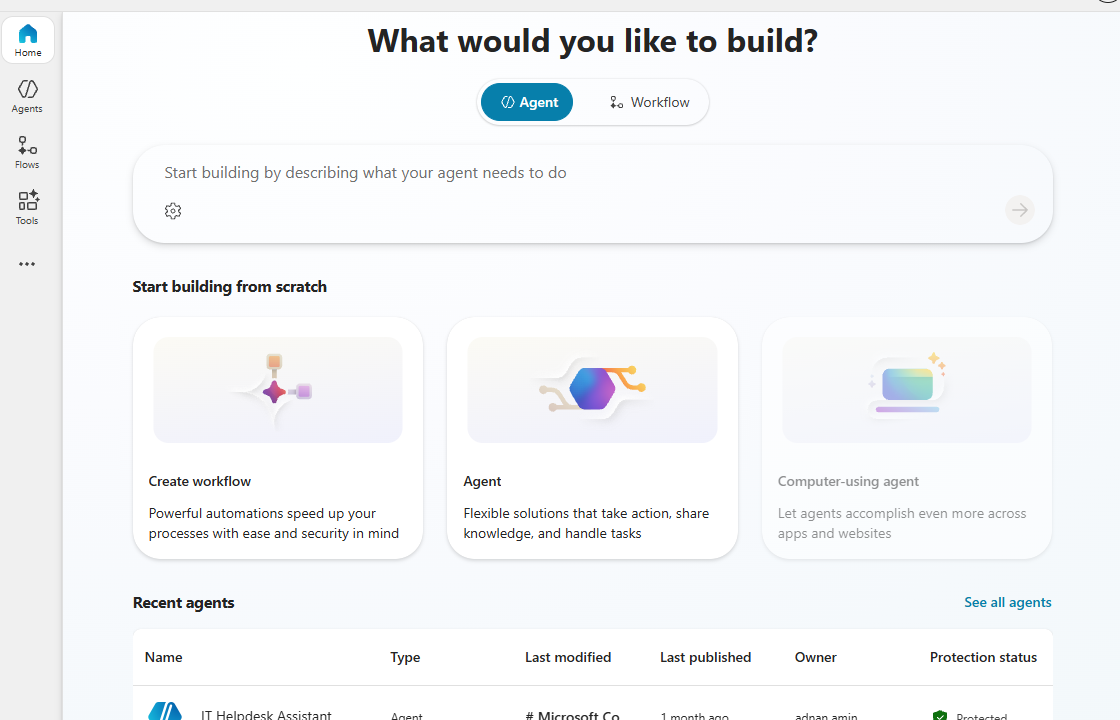
Building your first agent in Microsoft Copilot Studio is easier than it sounds. You do not need to start with complex code or a long technical setup. Copilot Studio lets you describe what you want your agent to do, then helps generate the agent name, description, instructions, suggested triggers, channels, knowledge sources, and tools.
If you are creating a support bot, internal help assistant, HR guide, FAQ agent, or product helper, the basic process is the same: define the purpose, add knowledge, test the conversation, and publish it.
What Is an Agent in Microsoft Copilot Studio?
A Microsoft Copilot Studio agent is a conversational AI assistant built to answer questions, guide users, and complete tasks. It can use your instructions, topics, knowledge sources, and connected tools to respond in a useful way.
For example, a company might build an agent that helps employees find IT policies, answer HR questions, or guide customers through product setup. The key is to give the agent a clear job instead of trying to make it do everything.
Step-by-Step: Build Your First Microsoft Copilot Studio Agent
Start with a clear purpose
Before opening Copilot Studio, write one simple sentence that explains what your agent should do.
Example:
“Help employees find answers about company IT policies and common troubleshooting steps.”
This keeps your agent focused. A focused agent gives better answers, is easier to test, and is less confusing for users.
Create a new agent
Sign in to Microsoft Copilot Studio and start a new agent from the home page. You can enter a short description of what you want the agent to do, and Copilot Studio can generate the agent’s basic setup from that description.
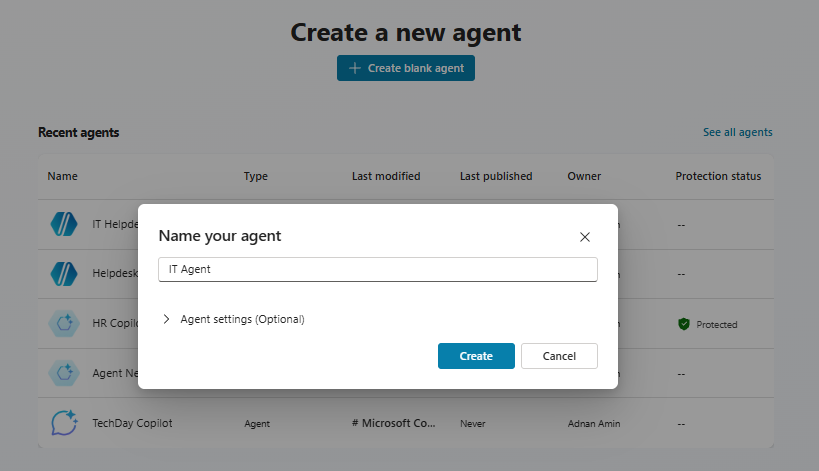
Keep your first version simple. Add a name, description, and instructions that explain how the agent should behave. For example, you may tell it to answer clearly, avoid guessing, and direct users to support when it is unsure.
Add knowledge sources
Knowledge sources help your agent answer from trusted information instead of making broad guesses. Copilot Studio supports adding knowledge during agent creation, after creation, or inside a topic through a generative answers node.
For a first agent, use a small set of reliable sources, such as:
- A public help page
- A company FAQ
- A policy document
- A product guide
- A SharePoint knowledge base
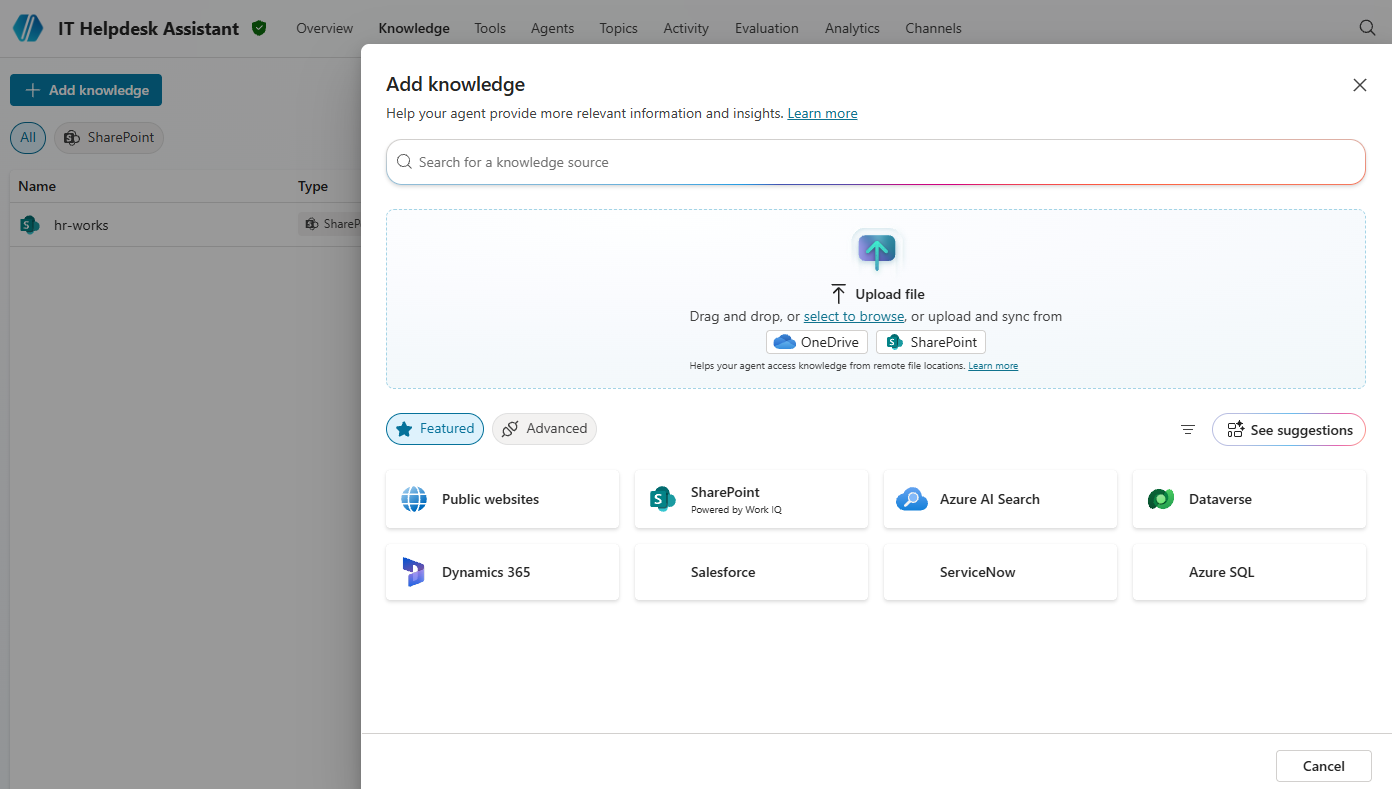
Do not overload the agent on day one. Start with the most important content, test it, then add more later.
Create or review topics
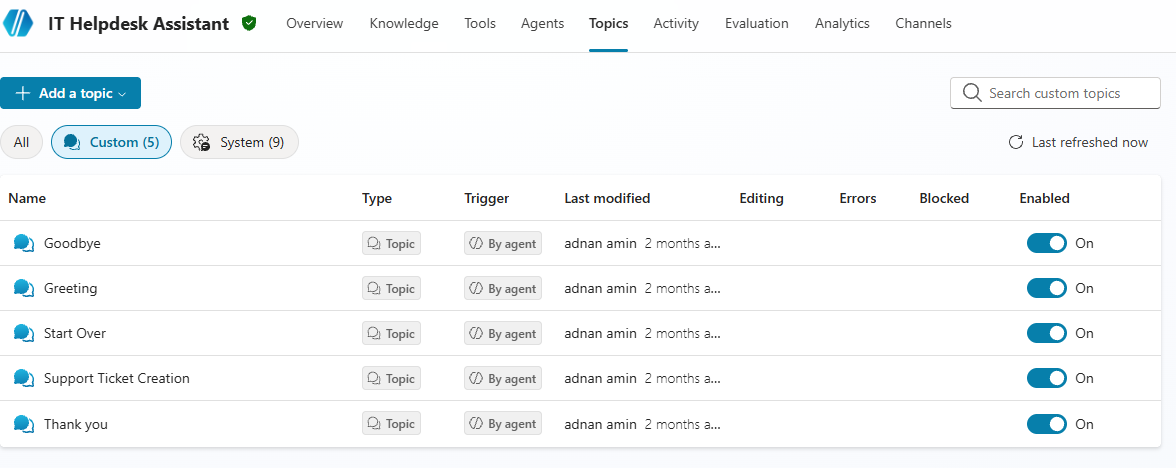
Topics are conversation paths your agent can follow. Think of them as common situations users may ask about.
For example:
- “Reset my password”
- “Find vacation policy”
- “Contact support”
- “Check order status”
Copilot Studio also includes a system topic called Conversational boosting, which uses a generative answers node so the agent can answer from configured knowledge sources.
Test the agent
Testing is where your agent starts to improve. Ask it real questions that users would ask, including messy or incomplete ones.
Try questions like:
- “How do I reset my password?”
- “Where is the VPN guide?”
- “I can’t log in, what should I do?”
- “Who do I contact for laptop issues?”
If the answers are too vague, improve the instructions or add better knowledge sources. If the agent misunderstands users, adjust the topic phrases and conversation flow.
Publish your agent
Once your agent works well in testing, you can publish it. Microsoft says agents need to be published before customers or users can interact with them, and updates must be published again for users to see the latest version.
Copilot Studio agents can be published to several channels, including websites, Microsoft Teams, Microsoft 365 Copilot, mobile apps, and other messaging platforms.
Tips for a Better First Agent
- Keep it narrow: Build one useful agent before trying to build a giant one.
- Use trusted content: Your answers are only as good as the knowledge you provide.
- Write clear instructions: Tell the agent what to do, what tone to use, and when to escalate.
- Test like a real user: Use short, unclear, and everyday questions.
- Improve after launch: Review common failures and update the agent regularly.
Your first Microsoft Copilot Studio agent does not need to be perfect. It just needs to solve one real problem clearly. Start with a focused use case, add trustworthy knowledge, test it with real questions, and publish it to the right channel.
Once your first agent is live, you can keep improving it with better topics, richer knowledge sources, and more advanced actions. That is where Copilot Studio becomes powerful: you can start simple, then grow your agent as your needs become clearer.
copilot studio
Custom Agents
Helpdesk
Microsoft 365
Microsoft 365 Copilot
OneDrive
SharePoint Online

Adnan, a distinguished professional, boasts an impressive track record as a Microsoft MVP, having achieved this prestigious recognition for the eighth consecutive year since 2015. With an extensive career spanning over 18 years, Adnan has honed his expertise in various domains, notably excelling in SharePoint, Microsoft 365, Microsoft Teams, the .Net Platform, and Microsoft BI. Presently, he holds the esteemed position of Senior Microsoft Consultant at Olive + Goose.Notably, Adnan served as the MCT Regional Lead for the Pakistan Chapter from 2012 to 2017, showcasing his leadership and commitment to fostering growth within the tech community. His journey in the realm of SharePoint spans 14 years, during which he has undertaken diverse projects involving both intranet and internet solutions for both private and government sectors. His impact has transcended geographical boundaries, leaving a mark on projects in the United States and the Gulf region, often collaborating with Fortune 500 companies.Beyond his roles, Adnan is a dedicated educator, sharing his insights and knowledge as a trainer. He also passionately advocates for technology, frequently engaging with the community through speaking engagements in various forums. His multifaceted contributions exemplify his dedication to the tech field and his role in driving its evolution.


No Comments